
How to find your Player ID
Including your Player ID helps us look into your request faster. On both Meta Quest and Steam, open the pause menu in the lobby and follow these steps.
1. Open the pause menu
While you are in the lobby, open the pause menu.
2. Select Settings
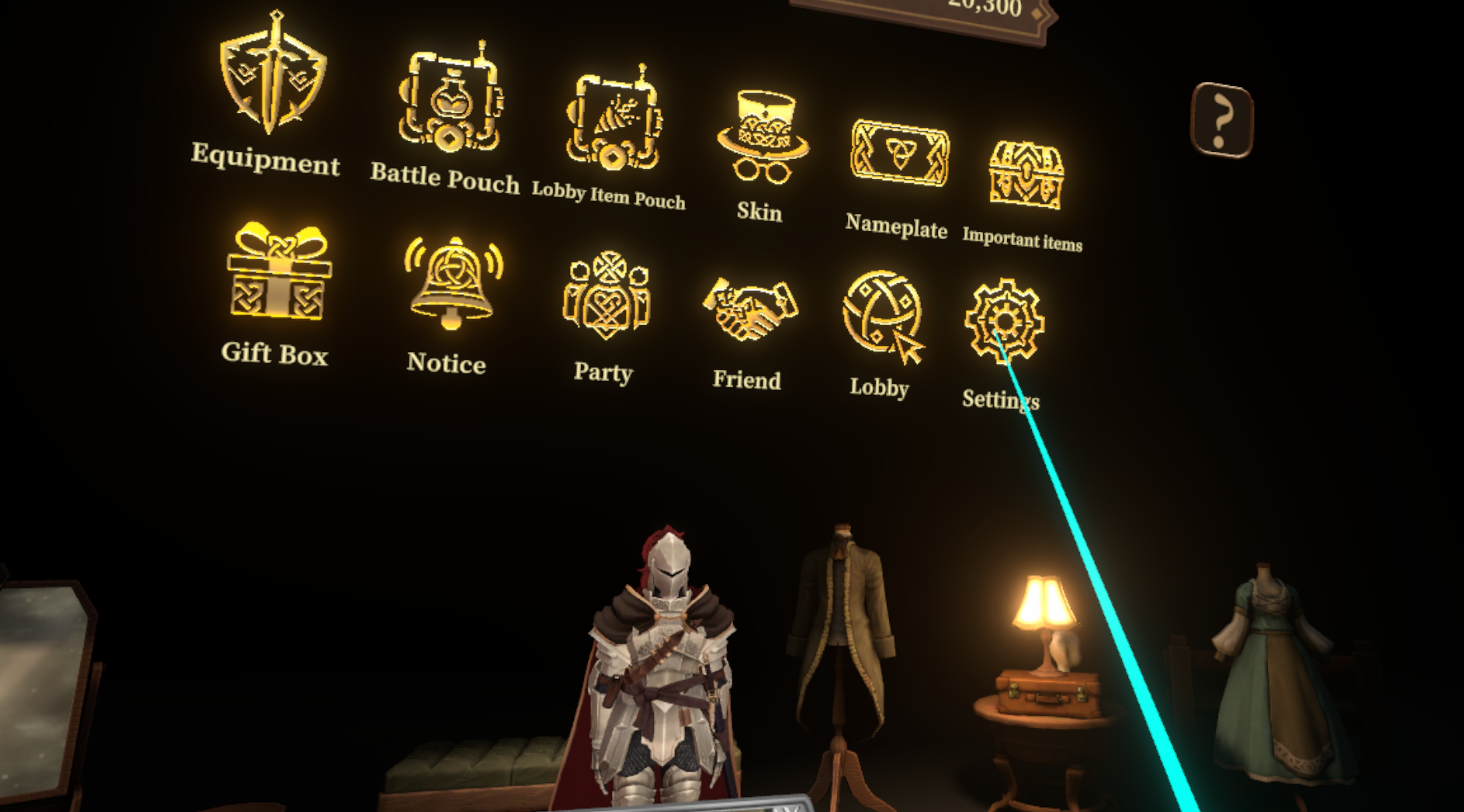
From the pause menu, select Settings.
3. Select System
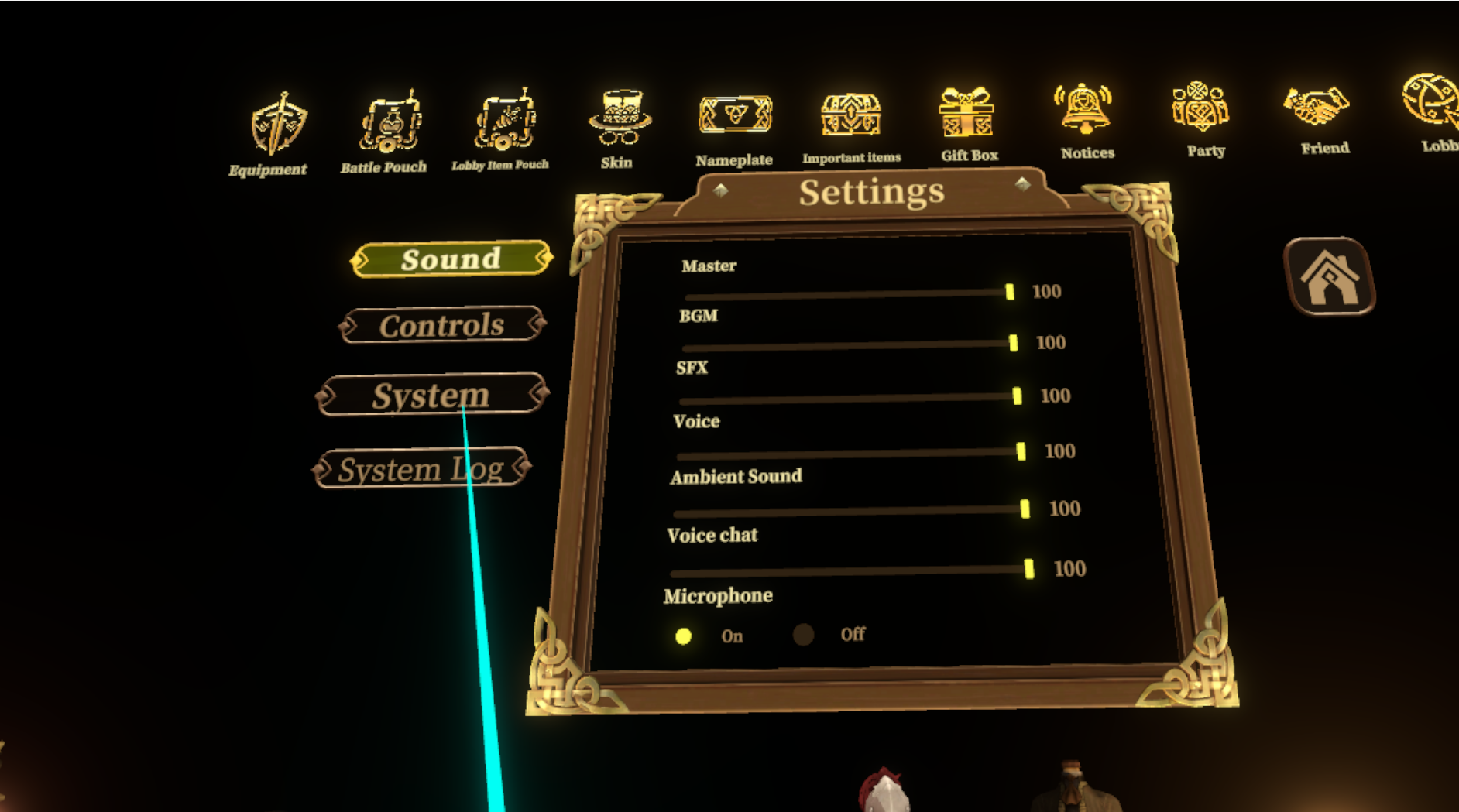
From the list on the left, select System.
4. Find your Player ID
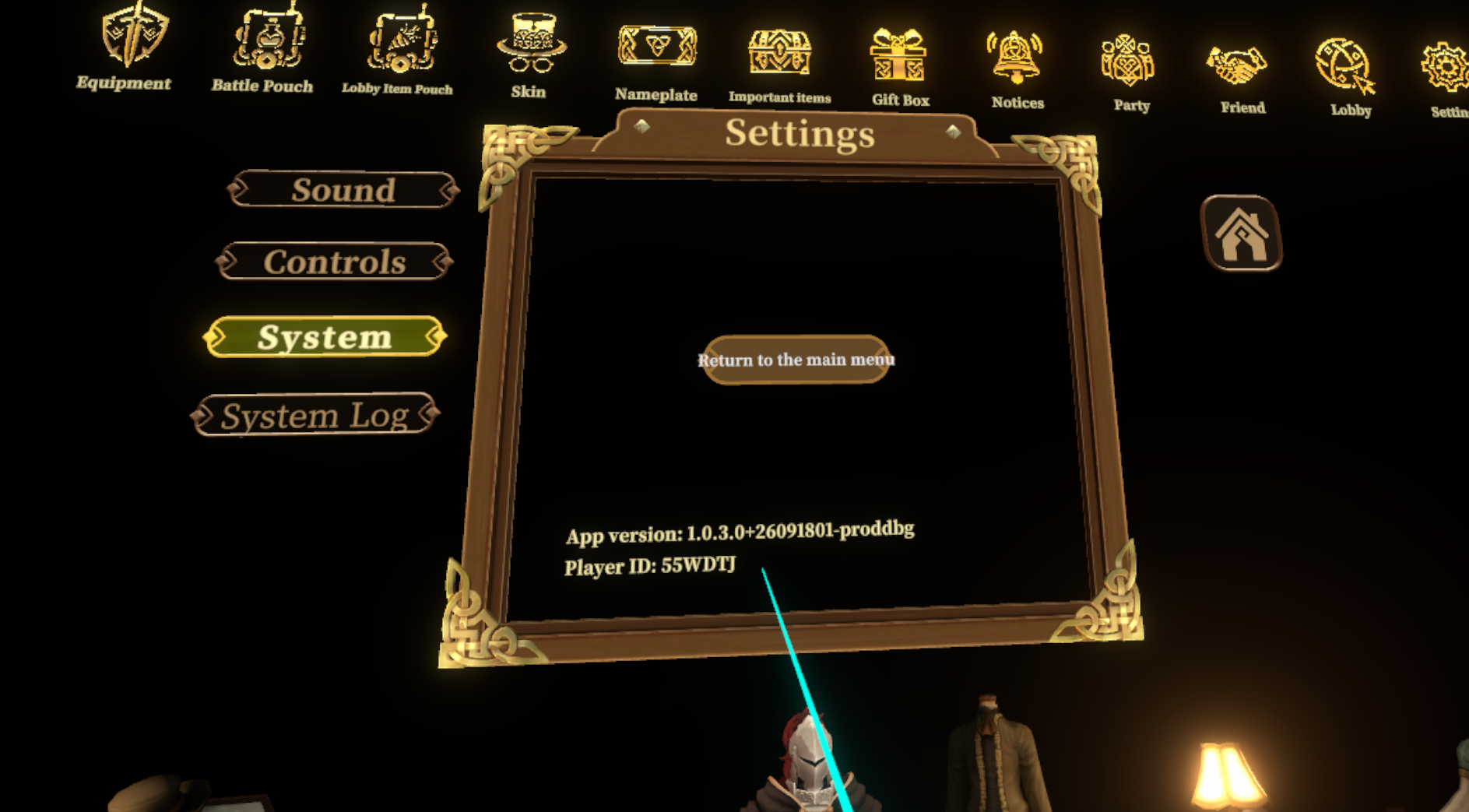
Please include the Player ID shown on this screen when you use the contact form.